


Best free CRM software for small teams
Compare free CRM software for small teams by user limits, workflow fit, upgrade pressure, paid-plan caveats, and when free stops being useful.

MisterSaaS Take
Free CRM shortlist by first constraint
Start with the free CRM whose user cap, workflow depth, and first paid trigger match the way your small team sells. Freshsales, HubSpot CRM, and Zoho CRM each fit a different free-plan constraint; Close belongs here only as a paid outbound alternative.
Best for
- Small teams choosing between permanent free CRM plans before importing contacts or building a pipeline.
- Founder-led, sales-led, or RevOps-managed teams that need user caps and upgrade pressure explained plainly.
- Buyers comparing Freshsales, HubSpot CRM, and Zoho CRM by practical fit rather than a generic top-10 ranking.
Avoid if
- You need a permanent free plan for a team larger than 3 users without checking current account limits.
- You want exact same-market paid-plan comparisons before opening any free CRM account.
- You need proof of support quality, migration quality, call quality, or implementation results before shortlisting.
The Catch
- Free stops being useful when the first user, record, automation, reporting, communication, or AI limit blocks the sales behavior your team actually needs.
Pricing Friction
- Freshsales has the clearest 3-user free-plan headline, but monthly pricing, add-ons, taxes, and full plan limits still deserve a buyer check.
- HubSpot CRM is easy to start, but seats, contacts, automation, reporting, branding, and hub expansion can create upgrade pressure.
- Zoho CRM gives 3-user teams more configuration room, but paid prices shown in different markets or currencies are not directly comparable.
- Close is a paid outbound CRM with a trial path, not a permanent free CRM pick.
What buyers like
- Freshsales gives small sales teams a clear free-plan starting point with a visible paid ladder.
- HubSpot CRM is familiar, broad, and approachable for solo or 2-person teams.
- Zoho CRM offers a 3-user value path for teams willing to configure more of the system.
Common complaints
- Free CRM limits can arrive through users, records, reporting, automation, calling, AI, branding, or paid hub expansion.
- HubSpot upgrade jumps and Zoho setup complexity can surprise small teams that only compare the word free.
- Freshsales plan-level feature availability should be checked before relying on every communication or automation feature.
Popular alternatives
- Freshsales
- HubSpot CRM
- Zoho CRM
- Close
Free CRM software is useful only until its limits collide with the way your team sells. For a small team, start with the free plan whose user cap, record cap, communication features, and upgrade path match the next few months of sales work.
Quick answer: start with Freshsales if you have up to 3 users and want a sales-focused free CRM with a clear annual paid-plan ladder. Start with HubSpot CRM if you are a solo or 2-person team that wants a familiar all-purpose CRM entry point and can tolerate likely upgrade pressure as your contact, reporting, automation, and hub needs expand. Start with Zoho CRM if a 3-user free edition, 5,000-record ceiling, and more configurable sales process matter more than the simplest setup.
Close is not a free CRM pick. It belongs here only as a paid outbound alternative for teams that realize built-in calling, SMS, email, and sales workflow matter more than staying on a permanent free plan.
Disclosure: MisterSaaS may earn from eligible partner relationships if approved links are used. Recommendations on this page are based on buyer fit, public product and pricing facts, and the caveats explained below; paid relationships do not decide the order.
Plan details checked July 12, 2026: this comparison uses current official vendor pages for the free-plan limits, trial notes, and paid-plan caveats below. Exact HubSpot and Zoho paid-plan comparisons stay omitted because their paid pricing can vary by locale, currency, bundle, billing term, and checkout context.
Best free CRM picks at a glance
| Best for | Pick | Free-plan headline | Upgrade pressure | Avoid if |
|---|---|---|---|---|
| Up to 3 users who want a sales-focused free CRM with built-in communication context | Freshsales | Free plan at $0 for up to 3 users; official page also shows a 21-day trial and no-credit-card messaging | Paid growth starts when you need fuller automation, advanced reporting, AI-assisted workflows, multiple pipelines, or deeper plan limits | You need complete monthly-price, tax, add-on, and plan-limit certainty before account setup |
| Solo or 2-person teams that want a familiar CRM starting point with room to expand into HubSpot hubs | HubSpot CRM | Product page says the free CRM has no expiration and no credit card; use the stricter current FAQ limit of up to 2 users and 1,000 contacts | Upgrade pressure can arrive through seats, contacts, automation, reporting, branded/free-tool limits, and wider HubSpot hub expansion | You need stable same-market paid-plan comparisons today or expect the free tier to support a larger team without rechecking limits |
| Up to 3 users who want a configurable value path and can handle more setup | Zoho CRM | Free Edition supports up to 3 users, 5,000 records across modules, 1GB organization storage, no forced upgrade, and no credit card | Growth pressure comes from record volume, admin complexity, workflow/reporting depth, integrations, and paid-plan localization | You want the lowest-friction setup or need exact target-market paid prices before comparing upgrades |
| Shoppers who discover “free” is the wrong constraint | Close | No permanent free plan on current public pages; 14-day trial is the free entry point | It is paid software, and calling/SMS/add-on usage can affect total cost | A permanent free CRM is mandatory |
The rule: choose by first constraint, not by brand recognition. A free CRM can fail because it caps users, caps records, hides the workflow you need in a paid plan, or becomes too complex for the team to adopt.
How to compare free CRM limits before signing up
A free CRM roundup should separate three different things that often get blurred together:
- Permanent free plans that can stay no-cost as long as you fit their limits.
- Free trials that expire and are useful for evaluation, not long-term operation.
- Paid-only CRMs that may be the better tool but should not be called free.
For this page, Freshsales, HubSpot CRM, and Zoho CRM are the core permanent-free candidates supported by current public vendor pages. Close is a paid alternative, not part of the permanent-free shortlist.
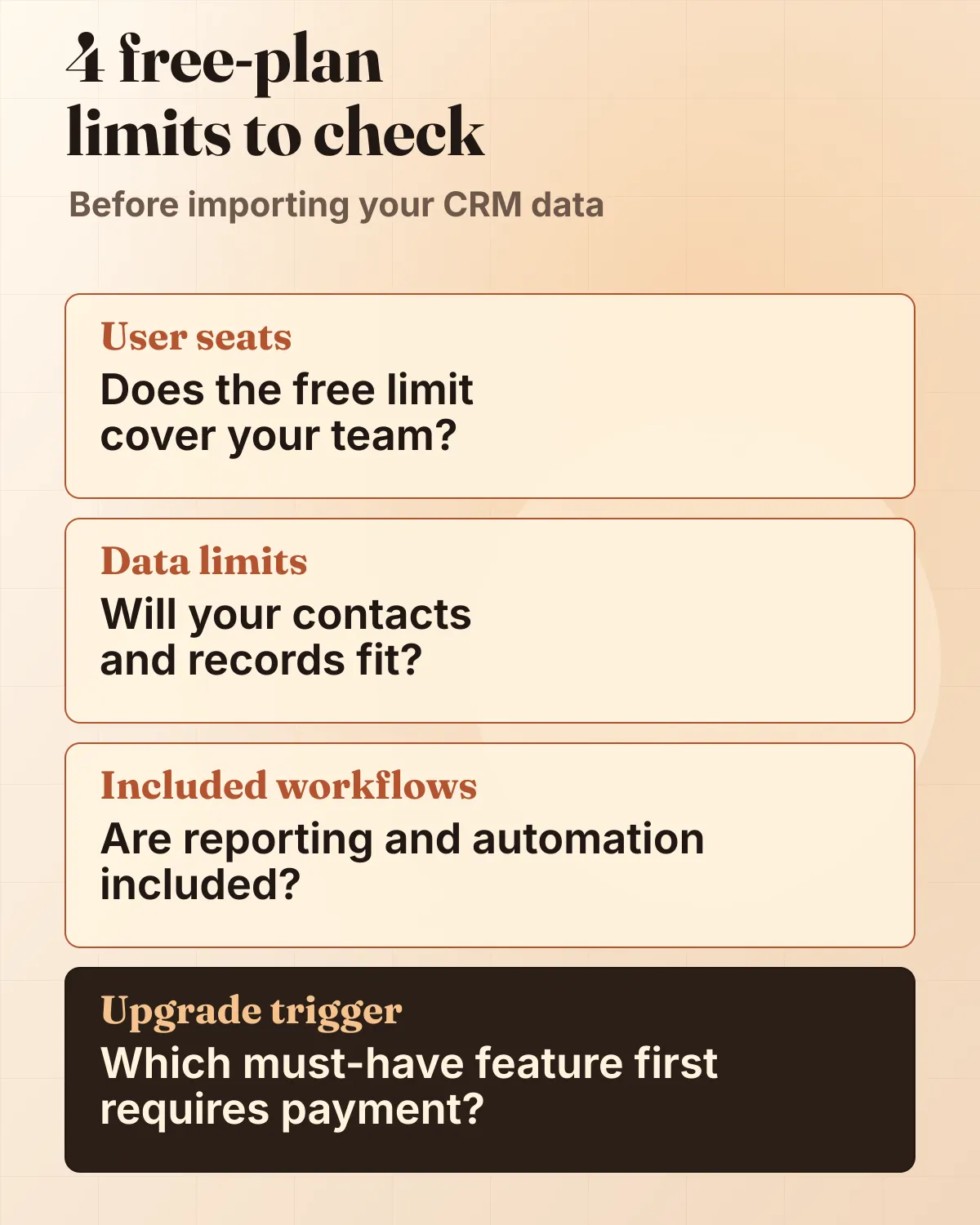
| Product | Free users | Record/contact cap | Trial or no-card note | Key free workflow | First upgrade trigger |
|---|---|---|---|---|---|
| Freshsales | Up to 3 users | Check the account before relying on detailed record limits | Official pricing page shows 21-day trial and no credit card required | Contacts/accounts/deals in Kanban-style sales workflow; built-in chat, email, and phone appear in Freshsales plan context, so verify exact free-plan availability before relying on each communication feature | More than 3 users, richer automation, AI-assisted selling, advanced workflows, custom reports, multiple pipelines, territory management, or deeper add-ons |
| HubSpot CRM | Use the stricter current limit: up to 2 users | Use the stricter current product-page FAQ limit: 1,000 contacts | Product page says no expiration and no credit card required | Contact management, import, deals/pipeline, tasks/activity, reporting dashboard, mobile app, shared inbox, email tracking/templates, meeting scheduling, live chat, chatbot builder, and quotes are positioned on the product page; confirm which free tools fit your account before depending on them | More users or contacts, higher reporting/automation needs, removal of free-tool limits/branding, more pipelines, sequences, calling minutes, onboarding, or expansion into paid HubSpot hubs |
| Zoho CRM | Up to 3 users | 5,000 records across modules; 1GB organization file storage | Free page says no hidden costs, no forced upgrade, and no credit card | Leads, deals, contact/account management, tasks/events, web forms, basic workflow automation, reports/charts, mobile app, and Zoho app integrations | More than 3 users, more records/storage, stronger process automation, CPQ, territory management, portals, consulting/migration support, or deeper AI/customization |
| Close | Not a permanent free plan | Paid Solo plan details include 10k leads and 1 user; no permanent free plan on current public pages | 14-day trial; no credit card required | Built-in calling, email, SMS, pipeline, reporting, automation, and AI positioning | Any ongoing use after trial, additional users beyond Solo, workflows not included on Solo/Essentials, calling/SMS usage, AI credits, phone lines, or add-ons |
Upgrade-pressure comparison
The trap in free CRM selection is assuming “free” means “safe for growth.” A free plan can be a good starting point and still be a poor fit if the first paid trigger arrives before the team has validated its sales process.
| Product | Users/records | Automations/reporting | Calling/email/AI | Paid price caveat | Best next step |
|---|---|---|---|---|---|
| Freshsales | Strong 3-user headline; detailed record limits and monthly-billing details still need final account-level confirmation | Pricing pages show basic workflows on Growth, advanced workflows and custom reports on Pro, and custom-module workflows/audit logs on Enterprise | Freshworks feature and pricing pages support broad communication/AI categories, but plan-level free availability should be checked before relying on them | Annual USD paid tiers are available; monthly paid prices, taxes, add-ons, usage costs, and full plan limits still need buyer verification | Trial the free account with your actual 3-user workflow and list the first paid feature you would need |
| HubSpot CRM | Use the 2-user/1,000-contact free-plan caveat unless your own account confirms broader entitlement | Free includes a reporting dashboard; Sales Hub paid tiers can expand pipelines, dashboards, workflows, custom reporting, forecasting, and sequences | Free-tool limits and branding can matter; paid tiers can expand calling minutes, AI/credits, meetings, templates, snippets, and automation | Dedicated Sales Hub pricing is dynamic/localized, so do not treat exact paid prices as a stable comparison | If you are 1-2 users, test how far the free tools cover your first pipeline before importing a large contact database |
| Zoho CRM | Clear 3-user and 5,000-record free-edition framing | Free page supports up to 5 workflow tasks and reports/charts; paid tiers expand automation, forecasting, CPQ, territory management, and portals | Free page supports email marketing/web forms and Zoho app integrations; paid pages expand AI and process features | Paid pricing can vary by currency and locale; avoid exact cross-vendor price ranking until your market and billing context are confirmed | Use Zoho if you can accept more setup in exchange for a 3-user, record-capped free path |
| Close | No permanent free plan; Solo is paid and limited to 1 user/10k leads | Workflows are not included on Solo or Essentials in current public pricing details | Calling/SMS are core strengths but usage, phone lines, Call Assistant, and AI credits can affect cost | USD paid prices are clear, but usage/add-ons matter; it is not part of the free ranking | Consider Close only if outbound calling/SMS/email workflow justifies paying after the trial |
Freshsales: best when 3 users and sales communication matter
Freshsales is the cleanest fit when your team has up to 3 users and wants a free CRM shaped around sales work rather than a generic contact database. Freshworks pricing pages show a Free plan at $0 for 3 users, a 21-day trial, no-credit-card messaging, and a paid annual ladder with Growth, Pro, and Enterprise tiers.
The practical reason to start here is the combination of a documented 3-user free entry point and a sales-focused upgrade path. Freshsales is not just a spreadsheet replacement; Freshworks positions the product around pipeline management, productivity, communication context, analytics, mobile access, customization, and Freddy AI. The caution is that broad feature categories do not mean every capability is available in the free plan.
Choose Freshsales if:
- Your next CRM team is 1-3 users, not a larger sales org.
- You want contacts/accounts/deals organized around active selling.
- You care about communication context, pipeline views, templates, reporting, and workflow potential enough to evaluate the paid ladder early.
- You prefer a visible annual USD paid-tier anchor and will verify other vendors in your own market and billing currency.
Avoid Freshsales if:
- You need confirmed monthly paid prices, checkout taxes, add-on costs, and the complete free-plan limit matrix before creating an account.
- You need proof of support quality, implementation quality, migration ease, contact-enrichment quality, or call quality. This page does not make those claims.
- Your team will exceed 3 users quickly and wants to avoid paid-plan evaluation during the first sales cycle.
Upgrade-pressure read: Freshsales looks strongest when you can treat the free plan as a starter system for a small sales team, then test the first paid feature you would need. Do not wait until after data import to discover that a workflow, AI, reporting, or customization feature lives above Free.
For a deeper Freshsales-specific decision path, read the Freshsales review before importing production data.
HubSpot CRM: best for broad, familiar CRM entry at 1-2 users
HubSpot CRM is the familiar free-CRM anchor. Its product page says the free CRM has no expiration date and no credit card requirement. It also shows a large set of free/common CRM capabilities around contact management, imports, deals and pipelines, task/activity tracking, reporting dashboards, mobile app, shared inbox, email tracking, email templates, document sharing, meeting scheduling, live chat, chatbot builder, and sales quotes.
The buyer caveat is that HubSpot entitlement language can be easy to overread. For this page, use the stricter product-page FAQ caveat: up to 2 users and 1,000 contacts. Other public HubSpot pages and snippets may use broader language, but a small team should verify the account-level free limits before relying on a bigger assumption.
Choose HubSpot CRM if:
- You are a solo operator or 2-person team that wants a fast, familiar CRM starting point.
- You want a broad HubSpot product suite where marketing, sales, service, forms, chat, meetings, and reporting may eventually connect.
- You value ease of adoption more than squeezing the maximum number of users out of a free plan.
Avoid HubSpot CRM if:
- You have 3 CRM users today and want the free plan to cover all of them without further verification.
- You need exact same-market paid-plan comparisons before choosing.
- You are likely to expand into advanced automation, reporting, sequences, calling, onboarding, or multiple hubs quickly and would be surprised by paid-tier jumps.
Upgrade-pressure read: HubSpot can be the easiest free CRM to start and one of the easiest to outgrow financially if your team builds its process deeply into HubSpot’s product suite. Before importing contacts, write down which users, contact volume, automation, reporting, and hub features would trigger your first paid conversation.
Zoho CRM: best for 3 users who can handle more configuration
Zoho CRM is the value/customization path. Its free CRM page supports a Free Edition for up to 3 users, 5,000 records across modules, 1GB organization storage, no hidden costs, no forced upgrade, and no-credit-card setup. It also supports practical free-plan capabilities such as leads, deals, contact/account management, tasks/events, web forms, basic workflow automation, reports/charts, mobile app access, and Zoho app integrations.
The trade-off is setup and administration. Zoho can offer value and flexibility, but the right buyer should be willing to configure the system rather than expecting the lowest-friction first session.
Choose Zoho CRM if:
- You need a 3-user free CRM and can live within the 5,000-record limit while validating your sales process.
- You want more configuration room than a very simple CRM might allow.
- Your team already uses, or is open to, the broader Zoho product family.
- You are comfortable comparing paid tiers later after checking current prices in your market and billing currency.
Avoid Zoho CRM if:
- You want the simplest setup and lowest admin burden.
- You need exact paid upgrade prices in your market before trialing.
- You are likely to need more than 5,000 records, more than 3 users, deeper automation, portals, territory management, CPQ, or consulting/migration support quickly.
Upgrade-pressure read: Zoho CRM is attractive when the 3-user/5,000-record free edition buys enough time to prove your sales process. It becomes risky if the team underestimates configuration work or compares prices shown for different markets and currencies as if they were equivalent.
Close: a paid outbound alternative, not a free CRM
Close should not appear in your free-CRM shortlist if a permanent no-cost plan is mandatory. Current public pages support a paid sales CRM with a 14-day trial, not a permanent free plan.
It is still relevant because many “best free CRM” shoppers are trying to solve a different problem: outbound reps need calling, email, SMS, pipeline management, reporting, automation, and AI-assisted sales workflow in one system. If that is the constraint, a free plan with missing communication workflow may cost more in lost adoption than a paid CRM costs in subscription fees.
Consider Close if:
- Your team sells heavily through outbound calls, emails, and SMS.
- A 14-day trial is enough to evaluate the workflow.
- You understand that calling/SMS usage, phone lines, AI credits, add-ons, and plan limits can change total cost.
Do not choose Close if: a permanent free plan is the requirement. In that case, compare Freshsales, HubSpot CRM, and Zoho CRM first.
When free CRM stops being useful
Free stops being useful when the plan limit blocks the sales behavior your team needs. Watch for these triggers before you import data:
- User count: 1-user, 2-user, and 3-user caps create very different team fits.
- Records and contacts: a free CRM can feel generous until your imported leads, accounts, deals, and contacts hit the ceiling.
- Pipeline complexity: multiple pipelines, advanced deal stages, territory management, and forecasting often live above free.
- Automation: workflow counts, assignment rules, sequences, cadences, and process automation are common paid triggers.
- Reporting: dashboards may exist on free, while custom reporting, forecasting, and advanced analytics move upmarket.
- Communication: email templates, calling minutes, SMS, phone lines, shared inboxes, and branding limits can matter once reps use the system daily.
- AI and enrichment: AI credits, lead scoring, sales emails, data prep, and enrichment can add hidden pressure.
- Support and implementation: free can be enough for software access but not enough for migration, onboarding, or support expectations.
- Regional pricing: paid upgrade comparisons are unsafe when vendors show different currencies, billing periods, onboarding fees, or checkout assumptions.
Trial checklist for small teams
Before choosing a free CRM, run a seven-day initial evaluation using approved representative data. This is a first-pass adoption and fit check, not proof of long-term suitability.
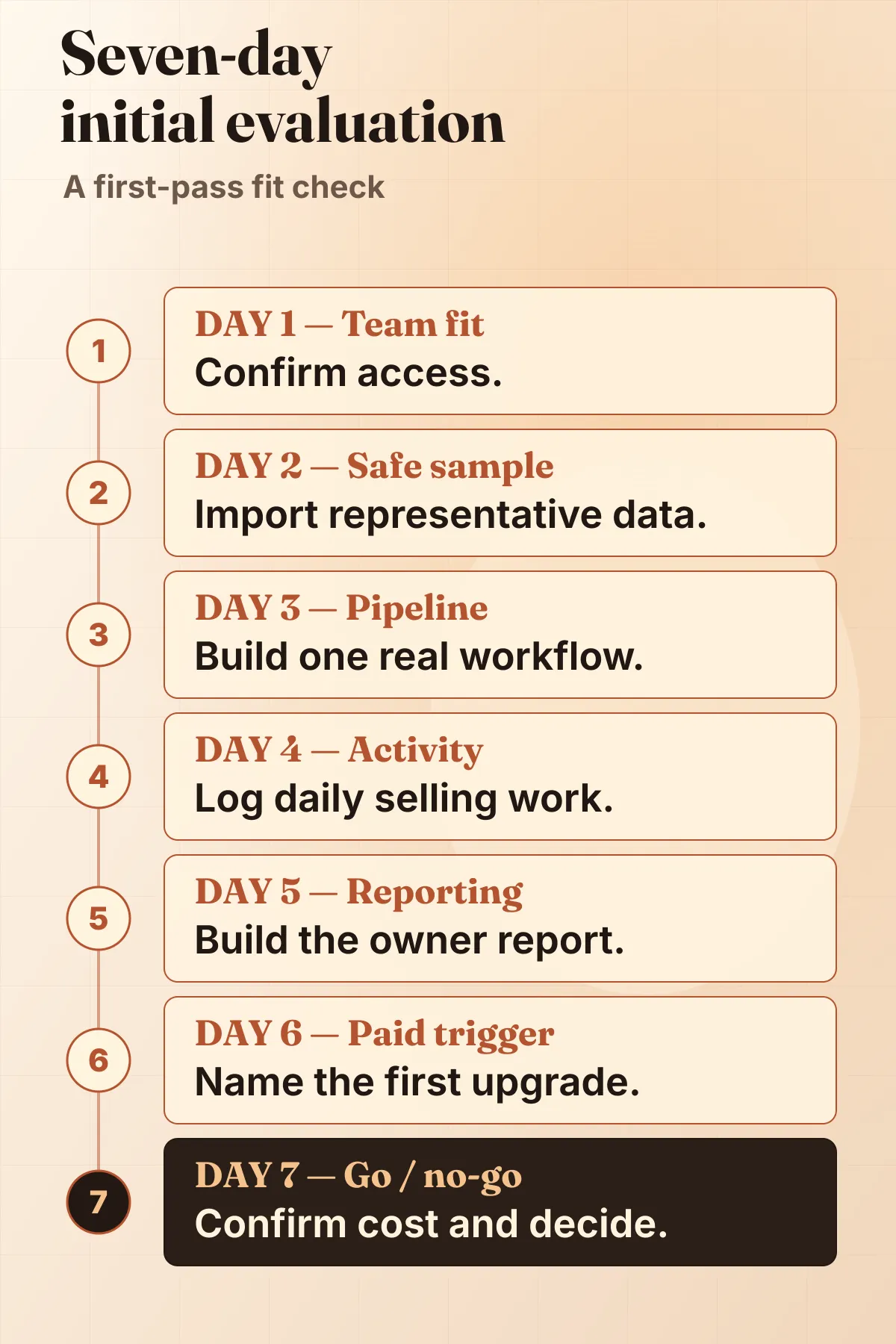
- Day 1 — Team fit. Confirm who needs access and which plan covers them.
- Day 2 — Safe sample. Import approved representative data, not the full database.
- Day 3 — Pipeline. Build one representative pipeline with the required fields.
- Day 4 — Activity. Log representative email, calls, tasks, meetings, and mobile use.
- Day 5 — Reporting. Build the first owner report and note any gaps.
- Day 6 — Paid trigger. Name the first feature or limit that would force an upgrade.
- Day 7 — Go / no-go. Check target-market pricing, then decide whether adoption and cost justify moving forward.
Verification checks that matter to buyers
This page compares current public product and pricing information against small-team buying needs. Use it to narrow a shortlist, then verify your account-level free limits, target-market paid prices, taxes, add-ons, contract terms, migration path, support expectations, and workflow fit before committing your data.
FAQ
Is free CRM software really free?
Sometimes. A permanent free CRM plan can stay free as long as your team fits the user, record, feature, storage, and workflow limits. A free trial is different: it expires and should be treated as evaluation time, not a long-term no-cost plan. Always separate permanent free plans from trials before building your shortlist.
Which free CRM supports 3 users?
Freshsales and Zoho CRM have current public pages supporting 3-user free coverage. Freshsales is the more sales-communication-oriented starting point, while Zoho CRM is the more configurable value path with a 5,000-record free-edition ceiling. HubSpot CRM should be treated with the stricter current 2-user caveat unless your own account-level check confirms broader entitlement.
Is HubSpot CRM free forever?
HubSpot’s product page says its free CRM has no expiration date and no credit card requirement. The practical caveat is that free-plan utility depends on users, contacts, reporting, automation, branding/free-tool limits, and whether your team expands into paid HubSpot hubs. Treat it as a strong 1-2 user starting point, not a guarantee that every growing small business can stay free.
Is Zoho CRM free forever?
Zoho’s free CRM page says the Free Edition is free forever for up to 3 users, with no forced upgrade and no credit card. The buyer caveat is the 5,000-record cap, 1GB organization storage, and the likelihood that growing teams may eventually need deeper automation, reporting, customization, portals, or paid support/migration help.
Is Freshsales free forever?
Freshsales has a Free plan at $0 for up to 3 users on the current Freshworks pricing page. Treat “free” as conditional on staying inside the free-plan user and workflow limits. Verify exact account-level inclusions before relying on communication, automation, reporting, AI, add-on, or support features.
When should a small team upgrade from a free CRM?
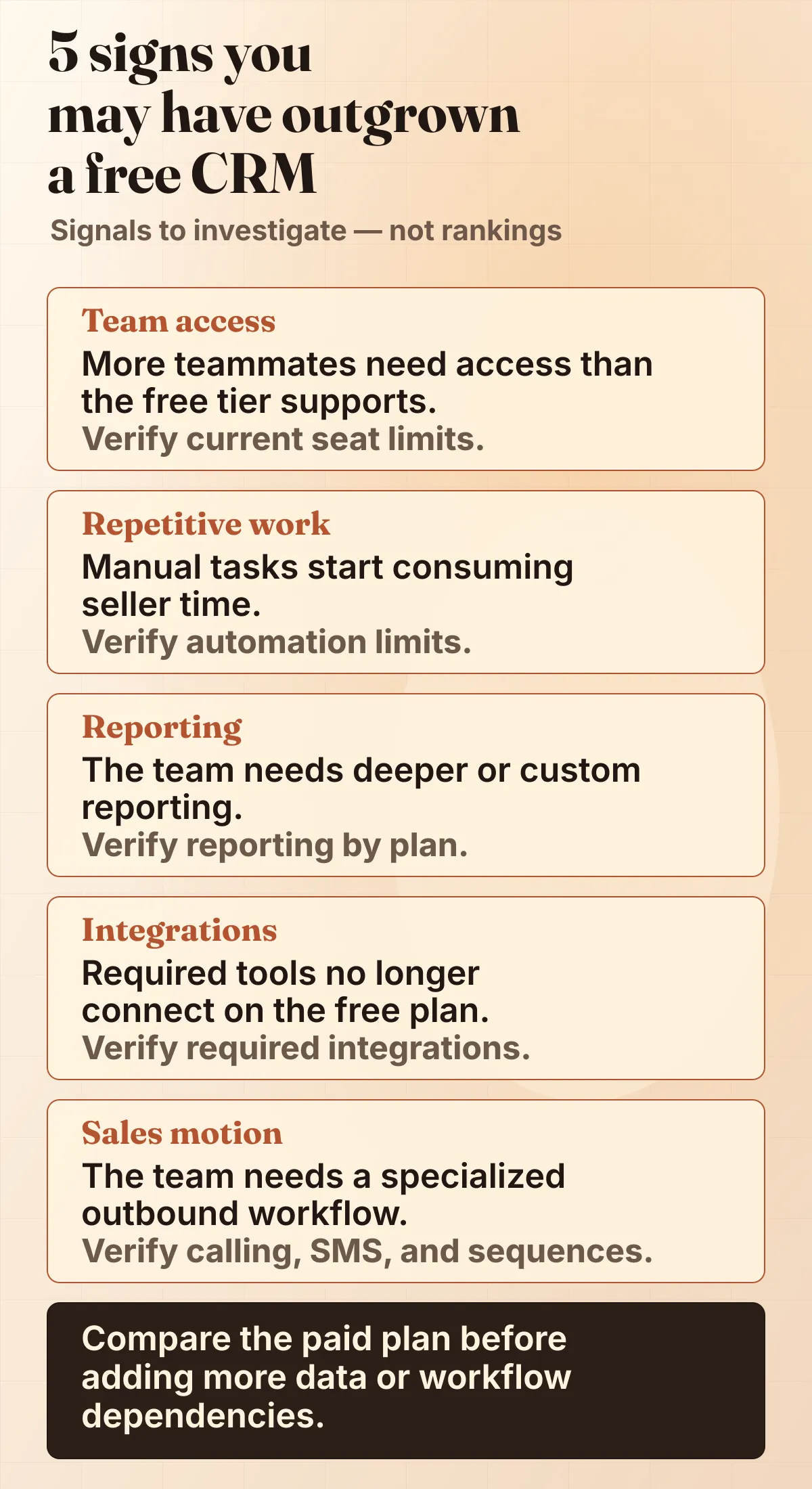
Upgrade when the free plan blocks a revenue-critical workflow: another sales user needs access, records/contacts hit the cap, reports cannot answer owner questions, automation saves meaningful rep time, communication features are gated, integrations become necessary, or support/migration needs outweigh the subscription cost.
How should I verify these CRM picks?
Start with the shortlist, then run your own account-level checks: user limits, record limits, reports, migration path, support expectations, calling or email needs, integrations, taxes, add-ons, and the paid tier you would need if the free plan stops fitting.
Is Close a free CRM?
No permanent Close free plan is shown on the current public pages. Close offers a trial and paid plans. Consider it if outbound communication workflow matters more than staying free; skip it if a permanent no-cost CRM is non-negotiable.
The MisterSaaS editorial desk prepares CRM and sales-software buying guides for small B2B teams.
Found a pricing change or source issue? Use the contact page so the editorial desk can review it against current vendor information.
Continue reading
Freshsales Review (2026): Free Plan & Pricing
A practical Freshsales review for small sales teams comparing the free-plan boundary, paid upgrade triggers, total-cost questions, alternatives, and a 21-day trial plan.
CRM Software for Small B2B Teams
MisterSaaS CRM hub for reviews, pricing notes, comparisons, shortlist guidance, and practical small-team software checks.
How MisterSaaS Chooses CRM Software
How MisterSaaS turns buyer signals, pricing friction, plan-limit pressure, and editorial judgment into practical CRM recommendations.